
How to Turn Figma Designs into High-Converting WordPress Websites

Introduction

Most businesses think converting Figma to WordPress is just about making a website look identical to the design.

That’s a mistake.

A successful website isn’t just pixel-perfect — it must also be fast, user-friendly, and conversion-focused.

In this article, we’ll show you how to transform Figma designs into WordPress websites that actually generate leads, sales, and growth.


Design ≠ Performance: The Hidden Gap

A Figma design is static. A website is dynamic.

Many developers simply replicate UI without considering:

  • Page speed
  • User behavior
  • Conversion flow
  • SEO structure

👉 The result? A beautiful site that doesn’t perform.


Key Principles of a High-Converting WordPress Website

1. Speed is Everything

Even a 1-second delay can reduce conversions significantly.

Best practices:

  • Optimize images from Figma export
  • Avoid heavy animations
  • Use clean code (ACF > bloated builders)
  • Implement caching

2. Structure Content for Scanning

Users don’t read — they scan.

Your WordPress build should:

  • Use clear headings (H1–H3)
  • Break content into sections
  • Highlight key benefits
  • Add whitespace

3. Optimize Call-To-Actions (CTA)

Your design might include buttons — but are they optimized?

Improve CTAs by:

  • Using action-driven text (Get Started, Request a Quote)
  • Placing CTAs above the fold
  • Repeating CTAs throughout the page

4. Mobile-First Implementation

Figma designs often look great on desktop — but mobile drives most traffic.

Checklist:

  • Responsive layout
  • Touch-friendly buttons
  • Optimized font sizes
  • Fast loading on 4G

5. SEO-Friendly Development

A high-converting website must also be discoverable.

Technical SEO basics:

  • Proper HTML structure
  • Fast Core Web Vitals
  • Optimized images
  • Schema markup

Choosing the Right Development Approach

🔹 ACF (Advanced Custom Fields)

Best for:

  • Performance-focused websites
  • Clean backend
  • Custom UI control

👉 Ideal for long-term business websites.


🔹 Page Builders (Elementor, etc.)

Best for:

  • Fast deployment
  • Easy editing

👉 But must be optimized carefully to avoid slow performance.


🔹 Hybrid Approach

Combine:

  • ACF for structure
  • Builder for flexible content

👉 Balanced solution for many projects.


Real Conversion Improvements (What Actually Works)

When converting Figma to WordPress, small tweaks can bring big results:

  • Add sticky CTA buttons
  • Improve page loading speed
  • Simplify navigation
  • Reduce unnecessary sections
  • Add trust signals (testimonials, logos)

Common Mistake: “Pixel Perfect Only” Mindset

Many developers focus only on:
✔ Matching colors
✔ Matching spacing
✔ Matching typography

But ignore:
❌ UX optimization
❌ Performance
❌ Conversion flow

👉 A slightly adjusted layout that converts better is more valuable than a perfect copy.


Workflow for Better Results

Here’s a smarter workflow:

  1. Review Figma design (UX + structure)
  2. Suggest improvements (conversion-focused)
  3. Build with performance in mind
  4. Test responsiveness
  5. Optimize speed & SEO
  6. Launch and track performance

Why Businesses Should Care

A better Figma-to-WordPress process means:

  • Higher conversion rates
  • Better SEO rankings
  • Lower bounce rate
  • Faster website
  • More revenue

Conclusion

Converting Figma to WordPress isn’t just a technical task — it’s a business opportunity.

By focusing on performance, UX, and conversion, you can turn any design into a powerful growth tool.
Convert Figma to WordPress: The Complete Guide for High-Performance Websites

Introduction

Designing in Figma is fast, flexible, and widely adopted by modern UI/UX teams. But turning that beautiful design into a fully functional website is where the real challenge begins.

In this guide, we’ll walk you through how to convert Figma to WordPress efficiently, ensuring pixel-perfect results, clean code, and optimal performance.


Why Convert Figma to WordPress?

Figma is great for design, but it doesn’t provide a live website experience. WordPress, on the other hand, powers over 40% of websites globally and offers unmatched flexibility.

Key Benefits:

  • Full control over content and structure
  • SEO-friendly architecture
  • Scalable for business growth
  • Easy content management
  • Thousands of plugins and integrations

Methods to Convert Figma to WordPress

There are multiple approaches depending on your needs, budget, and technical requirements.


1. Custom Development with ACF (Recommended)

Using Advanced Custom Fields (ACF) is one of the best ways to convert Figma designs into WordPress.

Advantages:

  • Clean and lightweight code
  • Pixel-perfect design accuracy
  • No unnecessary bloat
  • High performance and fast loading
  • Fully customizable backend

Best for:

  • Businesses that need performance and scalability
  • Custom UI/UX designs
  • Long-term website growth

2. Using Page Builders (Elementor, WPBakery)

Page builders allow faster development without deep coding knowledge.

Advantages:

  • Drag-and-drop interface
  • Faster turnaround time
  • Easy for non-technical users

Disadvantages:

  • Can be slower if not optimized
  • Less control over code quality
  • Potential design limitations

Best for:

  • Small businesses
  • Quick landing pages
  • MVP projects

3. Hybrid Approach (ACF + Builder)

This combines the best of both worlds:

  • Use ACF for core structure
  • Use builder for flexible sections

Step-by-Step Process

Step 1: Analyze the Figma Design

  • Identify layout structure
  • Define reusable components
  • Check responsiveness

Step 2: Set Up WordPress Environment

  • Install WordPress
  • Choose a starter theme or build from scratch
  • Configure necessary plugins

Step 3: Build Layout

  • Code templates or use builder
  • Ensure pixel-perfect spacing and typography

Step 4: Add Dynamic Content (ACF)

  • Create custom fields
  • Map content to UI
  • Ensure easy editing for clients

Step 5: Optimize Performance

  • Compress images
  • Minify CSS/JS
  • Use caching

Step 6: SEO Optimization

  • Proper heading structure (H1–H6)
  • Schema markup
  • Fast loading speed

Common Mistakes to Avoid

  • Ignoring mobile responsiveness
  • Using too many plugins
  • Poor image optimization
  • Not structuring content properly
  • Overusing page builders

ACF vs Elementor: Which One Should You Choose?

Criteria ACF (Custom Code) Elementor
Performance ⭐⭐⭐⭐⭐ ⭐⭐⭐
Flexibility ⭐⭐⭐⭐⭐ ⭐⭐⭐⭐
Ease of Use ⭐⭐ ⭐⭐⭐⭐⭐
Scalability ⭐⭐⭐⭐⭐ ⭐⭐⭐

👉 Recommendation:

  • Choose ACF for long-term, high-quality projects
  • Choose Elementor for speed and ease

Why Choose a Professional Figma to WordPress Service?

Hiring experts ensures:

  • Pixel-perfect implementation
  • Clean, maintainable code
  • Better SEO performance
  • Faster delivery
  • Ongoing support

Conclusion

Converting Figma to WordPress is more than just copying a design — it’s about building a fast, scalable, and SEO-friendly website.

Whether you choose ACF for performance or Elementor for flexibility, the key is to follow best practices and focus on user experience.

If you’re looking for a reliable Figma to WordPress service, investing in a professional solution will save you time and deliver better long-term results.

Figma to Elementor: The Fastest Way to Build WordPress Websites

In today’s fast-paced digital world, businesses need websites that are not only visually appealing but also quick to launch and easy to manage. One of the most popular workflows to achieve this is Figma to Elementor.

This approach allows you to turn design into a fully functional WordPress website without heavy coding.

Let’s explore why Figma to Elementor is a great choice for many projects.


What is Figma to Elementor?

Figma to Elementor is the process of converting a Figma design into a WordPress website using the Elementor page builder.

Instead of coding everything from scratch, developers and designers can:

  • Rebuild layouts visually
  • Customize sections with drag-and-drop
  • Launch websites faster

👉 Result: a fully editable, user-friendly website


1. Fast Development Process

One of the biggest advantages of Elementor is speed.

  • No need for complex coding
  • Visual editing saves time
  • Faster project delivery

👉 Ideal for agencies and freelancers working with tight deadlines.


2. Easy to Use (Client-Friendly)

Elementor is designed for non-technical users.

  • Drag-and-drop interface
  • Real-time editing
  • No coding required for updates

👉 Clients can manage their own content بسهولة (easily) without developer support.


3. Flexible Design System

With Elementor, you can recreate most Figma designs.

  • Pre-built widgets
  • Custom layouts
  • Responsive controls

👉 While not 100% unlimited like custom coding, it’s flexible enough for most websites.


4. Large Ecosystem

Elementor has a huge community and plugin ecosystem.

  • Add-ons for advanced features
  • Templates and UI kits
  • Integration with marketing tools

👉 You can extend functionality easily without building from scratch.


5. Cost-Effective Solution

Compared to custom development, Elementor is more budget-friendly.

  • Lower development cost
  • Faster turnaround time
  • Reduced maintenance complexity

👉 Perfect for startups and small businesses.


6. Responsive Design Made Easy

Elementor provides built-in responsive controls.

  • Optimize for mobile, tablet, desktop
  • Adjust spacing, font size, layout per device

👉 Helps ensure a consistent user experience across all devices.


7. Good for Landing Pages & Marketing Sites

Elementor shines when used for:

  • Landing pages
  • Marketing websites
  • Small business sites

👉 Especially useful for campaigns that need frequent updates.


Figma to Elementor vs Figma to ACF

Feature Elementor ACF
Speed ⭐⭐⭐⭐⭐ ⭐⭐⭐
Ease of Use ⭐⭐⭐⭐⭐ ⭐⭐
Performance ⭐⭐⭐ ⭐⭐⭐⭐⭐
Flexibility ⭐⭐⭐⭐ ⭐⭐⭐⭐⭐
SEO ⭐⭐⭐ ⭐⭐⭐⭐⭐

👉 Conclusion:

  • Choose Elementor for speed and ease
  • Choose ACF for performance and scalability

When Should You Choose Figma to Elementor?

Choose this approach if:

  • You need to launch quickly
  • You want an easy-to-manage website
  • You have a limited budget
  • You are building landing pages or simple sites

Limitations of Elementor

To be fair, Elementor also has some downsides:

  • Heavier than custom code
  • Can affect performance if overused
  • Limited deep customization compared to ACF

👉 Best practice: use Elementor wisely and avoid unnecessary plugins.


Final Thoughts

Figma to Elementor is one of the most efficient ways to build modern WordPress websites—especially when speed and usability are priorities.

While it may not match the performance of custom ACF development, it offers a perfect balance between speed, flexibility, and ease of use.


Need Help Converting Figma to Elementor?

At Vietito, we help businesses turn Figma designs into high-quality WordPress websites using Elementor.

✅ Fast delivery
✅ Pixel-perfect layout
✅ Fully responsive

👉 Visit: https://vietito.com

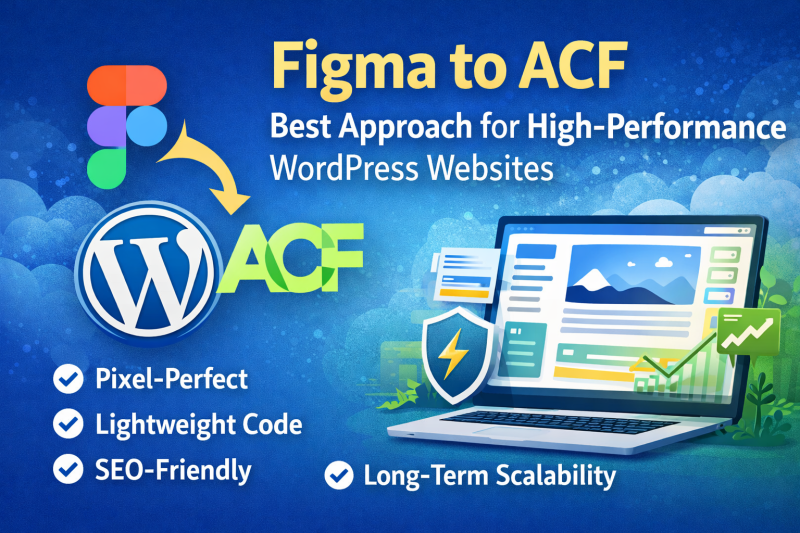
Why Figma to ACF is the Best Approach for High-Performance WordPress Websites

In modern web development, turning design into a fast, scalable, and maintainable website is crucial. While many developers rely on page builders, a growing number of professionals are choosing Figma to ACF (Advanced Custom Fields) as their preferred workflow.

But why is this approach gaining popularity?

Let’s explore the key advantages of using Figma to ACF for WordPress development.


What is Figma to ACF?

Figma to ACF is the process of converting a Figma design into a fully functional WordPress website using:

  • Custom theme development
  • Advanced Custom Fields (ACF) for dynamic content
  • Clean, optimized code instead of heavy page builders

👉 The result: a lightweight, flexible, and high-performance website


1. Clean and Lightweight Code

One of the biggest advantages of using ACF is that it avoids unnecessary code bloat.

  • No heavy builder scripts
  • Minimal CSS and JavaScript
  • Faster loading times

👉 This directly improves Core Web Vitals and SEO rankings.


2. Better Performance and Speed

Web performance is a key ranking factor in Google.

With Figma to ACF:

  • Pages load significantly faster
  • No dependency on bulky plugins
  • Optimized asset loading

👉 Ideal for businesses that care about speed and user experience


3. Full Design Control (Pixel-Perfect)

Unlike page builders, ACF allows developers to fully control the front-end.

  • Exact match with Figma design
  • No layout limitations
  • Custom animations and interactions

👉 You get a pixel-perfect website without compromise.


4. Flexible Content Management

ACF makes it easy for clients to manage content without breaking the design.

  • Custom fields for each section
  • Structured content editing
  • Easy-to-use admin interface

👉 Clients can update content safely without touching code.


5. Scalable and Developer-Friendly

Figma to ACF is perfect for long-term projects.

  • Easy to extend and maintain
  • Clean code structure
  • Ideal for large or complex websites

👉 Great for agencies and growing businesses.


6. SEO-Friendly Structure

Unlike page builders, ACF-based websites offer better SEO control.

  • Clean HTML structure
  • Faster loading speed
  • Easy schema integration

👉 Helps improve rankings on search engines.


7. No Plugin Dependency Risk

Page builders often rely on multiple plugins.

With ACF:

  • Fewer dependencies
  • Less risk of conflicts
  • More stable long-term performance

👉 Your website becomes more reliable and secure.


Figma to ACF vs Page Builders

Feature Figma to ACF Page Builders
Performance ⭐⭐⭐⭐⭐ ⭐⭐⭐
Flexibility ⭐⭐⭐⭐⭐ ⭐⭐⭐
Ease of Use ⭐⭐⭐ ⭐⭐⭐⭐⭐
SEO ⭐⭐⭐⭐⭐ ⭐⭐⭐
Scalability ⭐⭐⭐⭐⭐ ⭐⭐⭐

👉 Conclusion: ACF is better for performance and scalability, while builders are easier for beginners.


When Should You Choose Figma to ACF?

Choose this approach if:

  • You want a high-performance website
  • You care about SEO and speed
  • You need a custom design
  • You are building a long-term scalable project

Final Thoughts

Figma to ACF is not just a development method—it’s a professional standard for building modern WordPress websites.

While it may require more technical expertise, the benefits in performance, flexibility, and scalability make it the best choice for serious projects.


Need a Figma to ACF Expert?

At Vietito, we specialize in converting Figma designs into high-quality WordPress websites using ACF.

✅ Pixel-perfect development
✅ Clean and optimized code
✅ SEO-friendly structure

👉 Visit: https://vietito.com

Hiring WordPress Developers in Vietnam: Benefits, Costs, and Why It’s a Smart Move

Hiring WordPress Developers in Vietnam: Benefits, Costs, and Why It’s a Smart Move

Introduction

In today’s fast-paced digital landscape, having a high-performing website is no longer optional—it’s essential. WordPress powers over 40% of websites globally, making it one of the most popular platforms for businesses of all sizes. As demand for WordPress development grows, many companies are turning to offshore markets to find skilled talent at competitive rates.

One destination that stands out is Vietnam. Over the past decade, Vietnam has emerged as a strong hub for IT outsourcing, especially in web development. Hiring WordPress developers in Vietnam offers a compelling mix of affordability, technical expertise, and reliability.


1. Cost-Effective Without Compromising Quality

One of the biggest advantages of hiring WordPress developers in Vietnam is cost efficiency.

Compared to developers in the US, UK, or Australia, Vietnamese developers offer significantly lower hourly rates—often 50–70% cheaper—while maintaining high-quality output.

Why is it cheaper?

  • Lower cost of living
  • Competitive outsourcing market
  • Favorable currency exchange rates

👉 This means you can:

  • Reduce development costs
  • Allocate budget to marketing or scaling
  • Get more value for long-term projects

2. Highly Skilled and Technically Strong Developers

Vietnam has a rapidly growing pool of talented developers with strong technical foundations.

Most WordPress developers in Vietnam are experienced in:

  • Custom theme development
  • Plugin customization
  • Page builders like Elementor, WPBakery
  • Advanced Custom Fields (ACF)
  • WooCommerce development
  • API integrations

Many developers also have solid knowledge of:

  • HTML5, CSS3, JavaScript
  • PHP & MySQL
  • Performance optimization
  • SEO best practices

👉 You’re not just hiring “cheap labor”—you’re hiring capable professionals who can deliver complex solutions.


3. Strong Work Ethic and Reliability

Vietnamese developers are known for their:

  • Dedication and responsibility
  • Willingness to learn and adapt
  • Long-term commitment to projects

They often go the extra mile to meet deadlines and ensure client satisfaction.

👉 This makes them ideal for:

  • Long-term partnerships
  • Ongoing website maintenance
  • Scaling development teams

4. Excellent Communication Skills

Communication is a common concern when outsourcing—but Vietnam performs surprisingly well.

  • Many developers have good English proficiency
  • Familiar with tools like Slack, Zoom, Trello, Jira
  • Comfortable working with international clients

👉 Result:

  • Clear communication
  • Fewer misunderstandings
  • Smooth project management

5. Flexible Engagement Models

When hiring WordPress developers in Vietnam, you can choose from multiple engagement models:

  • Freelancers (Upwork, Fiverr)
  • Dedicated developers
  • Outsourcing agencies

👉 Flexibility allows you to:

  • Scale your team up or down easily
  • Choose based on budget and project scope
  • Optimize resource allocation

6. Time Zone Advantage

Vietnam operates in GMT+7, which creates a useful overlap with:

  • Australia
  • Europe (partial overlap)
  • US (overnight productivity)

👉 This enables:

  • Faster turnaround times
  • Continuous development cycles (24/7 workflow)
  • Quick updates and feedback loops

7. Growing Tech Ecosystem

Vietnam’s tech industry is booming, with major cities like:

  • Ho Chi Minh City
  • Hanoi
  • Da Nang

These cities are home to:

  • Tech startups
  • IT outsourcing companies
  • Skilled developer communities

👉 This growth ensures:

  • Access to modern technologies
  • Continuous skill improvement
  • Competitive talent pool

8. SEO and Performance-Oriented Development

Many Vietnamese WordPress developers are highly aware of:

  • Core Web Vitals
  • Page speed optimization
  • Clean coding practices

They often build websites with:

  • Lightweight code
  • Optimized images
  • SEO-friendly structure

👉 This gives your website a strong foundation for:

  • Better Google rankings
  • Improved user experience
  • Higher conversion rates

When Should You Hire WordPress Developers in Vietnam?

Hiring in Vietnam is a great choice if you:

  • Want to reduce development costs
  • Need high-quality WordPress solutions
  • Are building a long-term development team
  • Require flexible scaling
  • Run an agency and need white-label support

Potential Challenges (And How to Solve Them)

While there are many benefits, here are a few considerations:

1. Time zone differences

  • ✔ Use overlapping hours for meetings

2. Quality variation (freelancers)

  • ✔ Always review portfolios and run test tasks

3. Cultural differences

  • ✔ Maintain clear documentation and expectations

Conclusion

Hiring WordPress developers in Vietnam is a strategic decision that offers high-quality work at a competitive cost. With a growing talent pool, strong technical expertise, and a reliable work ethic, Vietnam has become one of the top outsourcing destinations for WordPress development.

Whether you’re a startup, agency, or enterprise, working with Vietnamese developers can help you build faster, scale smarter, and save costs—without sacrificing quality.


Call to Action

If you’re looking for reliable WordPress developers in Vietnam, now is the perfect time to explore this market. Start with a small project, evaluate the results, and scale your team as your business grows 🚀

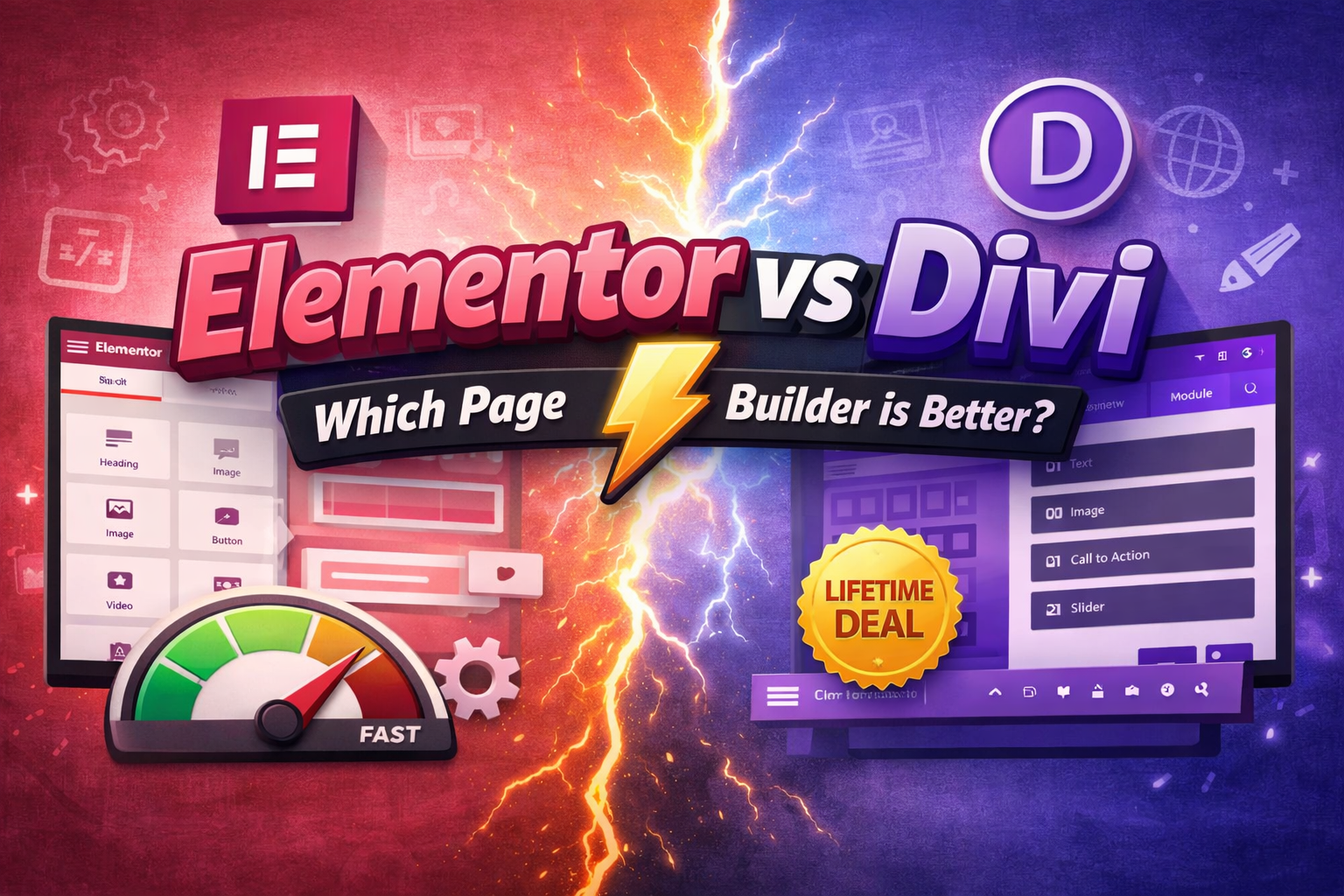
Elementor vs Divi: Which WordPress Page Builder is Better in 2026?

Introduction

When it comes to building a WordPress website without coding, two names dominate the market: Elementor and Divi.

Both are powerful page builders, but which one is the right choice for your project?

In this detailed comparison, we’ll break down Elementor vs Divi based on performance, ease of use, design flexibility, pricing, and more—so you can make the best decision.


What is Elementor?

https://images.openai.com/static-rsc-4/Pl4voi-EzBYL_RH2Tp3xJOOcVIBzXn4rSa_kcx-dQMIQ1mq0aoMhyAoi-aRO9hvsbV2cNN50EoT32CeXxSIcY_yVbvO0F-zjZ4eYTGQ2ZtH9560cqTywHY66xa9IqBs6wOzgo-JiYqzacL4aou5d5OlIOse0FtSihSfC8s5mlMn98RR2SPxt0BYllWt6Stmm?purpose=fullsize
https://images.openai.com/static-rsc-4/ccjeU-pDjvI7DofjjzFUTpYTY_S80bqk5Hr2wWdBq6t7SivrMYwfuz3nbtBp8SHNxaq7Muy9uFVFEw36VGwFuSpxyHAx-_Q-wQC29L-LzdqH1UHci5d5QKEmzfbYAKwrGQEdCGxuRsjNi74vpoNetBO-OA6C0CY18PS3Lf76eSI_6pL4sJN3_fdQG9K5Ilj3?purpose=fullsize
https://images.openai.com/static-rsc-4/n8IDl50NC7102s3sqxOIA-ebHmnL2HRTT0bF_c6iTxQq34KqvUOFM9uOd1AEExa2nZmAfGTxXE9l4Df_7p8eDINUsEUqj873Jp1Km0NvA0CkpYjIqXrzMphKKY9fRRZozAYRVfCE7VO6vCilQQAJ2jWTMdGz7aQUbsWLcNBq5q6_vnx08CCPSRFoSWttRgSa?purpose=fullsize
6

Elementor is one of the most popular WordPress page builders, known for its intuitive drag-and-drop interface and massive ecosystem.

Key Features:

  • Real-time front-end editing
  • Large widget library
  • Theme Builder support
  • WooCommerce integration
  • Huge third-party addon ecosystem

What is Divi?

https://images.openai.com/static-rsc-4/o2RhiDhhXyI4V0fOpu1TviZsazkqTUp7__Nv7NdRf9pyY0TQ2eWY7WhMmM_vP-iNoqQQqhvNqO_0tVf4jiUMVK_zF8pmamTJEAwI0FnfgPM6Untw5vWmvoHciyMYT-PyeUnGs1gg_qF9w6rAw-F2xrTH2GroZeBIdH8NOVf9Q8o78QguYyjF1Hb3N9M_5Cin?purpose=fullsize
https://images.openai.com/static-rsc-4/lejBh8jX-OAq3Q24EOEGHyifNyHphxRw67ir_L_-DeTUuefeZSEzQqn_oOJ6pakMKMjyexE6cKFks0Tku0MDjiaJj_d5XiC8txrUuRvGyx_gbhaBTxjabTJv3vIYwww6veaU2b_qxdYgjidKXzWuqYiGYGvjzSckJ15slcnyhyvDmG9FZfQ42ngxGxzpHDql?purpose=fullsize
https://images.openai.com/static-rsc-4/9y5F_tVvrIq6sT-2w8JqflNqsKwq80aZrX8fWYHCVgamQZcsrmt_QmGejC9Kl0jzY26zmTkg9ajj1AQs9rXGW50onuizQD8BtucRKQdkylWExl7seAAADtmsrcYKuDMQ5G1mBj9P-mAf2mVIQlQ3il_BzsFHTKqB8vK3B-6iPLlLy0gsVK2hiQjXeZF53AVR?purpose=fullsize
7

Divi, developed by Elegant Themes, is both a theme and a page builder with a powerful visual editing experience.

Key Features:

  • Visual drag-and-drop builder
  • Built-in A/B testing
  • Global design system
  • Hundreds of pre-made layouts
  • Lifetime pricing option

Elementor vs Divi: Key Comparison

1. Ease of Use

Elementor

  • Clean and intuitive interface
  • Left sidebar + live preview
  • Beginner-friendly

Divi

  • Inline editing system
  • Slightly steeper learning curve
  • More floating controls

👉 Winner: Elementor (easier for beginners)


2. Design Flexibility

Elementor

  • Highly customizable layouts
  • Advanced motion effects
  • Strong third-party addons

Divi

  • Powerful global styling
  • Design system consistency
  • Built-in design presets

👉 Winner: Tie (depends on workflow preference)


3. Performance & Speed

Elementor

  • Generally faster (especially with optimized setup)
  • Better compatibility with performance plugins

Divi

  • Can be heavier due to built-in features
  • Requires optimization for best performance

👉 Winner: Elementor


4. Pricing

Elementor

  • Free version available
  • Pro starts yearly subscription

Divi

  • No free version
  • Yearly or lifetime pricing

👉 Winner: Divi (better long-term value)


5. Templates & Design Library

Elementor

  • Large template library
  • Many third-party templates

Divi

  • 2000+ pre-made layouts
  • Full website packs

👉 Winner: Divi


6. SEO Friendliness

Both builders:

  • Support SEO plugins like Rank Math & Yoast
  • Generate responsive designs

However:

  • Elementor tends to produce cleaner code

👉 Winner: Elementor (slightly better)


Pros and Cons

Elementor Pros

  • Fast and lightweight
  • Easy to use
  • Large ecosystem

Elementor Cons

  • Can get expensive with addons
  • Some features locked in Pro

Divi Pros

  • Lifetime deal
  • Built-in A/B testing
  • Strong design system

Divi Cons

  • Heavier performance
  • Less intuitive UI

Elementor vs Divi: Which One Should You Choose?

Choose Elementor if:

  • You want speed and performance
  • You prefer a simple interface
  • You use many plugins

Choose Divi if:

  • You want lifetime pricing
  • You build many websites
  • You like design systems

Our Recommendation (From Vietito)

At Vietito, we typically recommend:

  • Elementor for most business websites
  • Divi for agencies or long-term multi-site usage

For high-performance projects, we often go beyond builders and use:

  • Custom themes
  • ACF (Advanced Custom Fields)
  • Clean, optimized code

Final Thoughts

Both Elementor and Divi are excellent tools—but the best choice depends on your needs.

  • Elementor = Speed + Ease of use
  • Divi = Design system + Value

If you’re serious about performance and SEO, consider a custom WordPress solution instead of relying entirely on page builders.

Convert Figma to WordPress: The Ultimate Guide for High-Performance Websites (2026)

Convert Figma to WordPress: The Ultimate Guide for High-Performance Websites (2026)

Introduction

In today’s digital landscape, having a visually appealing website is not enough—you also need performance, flexibility, and scalability. That’s why many businesses choose to convert their Figma designs into WordPress websites.

If you’re looking to transform your UI/UX design into a fully functional, fast-loading website, this guide will walk you through everything you need to know about Figma to WordPress conversion.


What is Figma to WordPress Conversion?

Figma to WordPress is the process of turning a design created in Figma into a live WordPress website.

This involves:

  • Converting design layouts into HTML, CSS, and JavaScript
  • Integrating them into WordPress themes
  • Adding dynamic content using tools like ACF or page builders

Why Convert Figma to WordPress?

1. Full Control Over Design

Figma allows pixel-perfect UI/UX design. When converted properly, your website will match the design exactly.

2. Easy Content Management

WordPress makes it simple to:

  • Update content
  • Manage blog posts
  • Add new pages without coding

3. SEO-Friendly Structure

A well-coded WordPress site ensures:

  • Clean HTML structure
  • Fast loading speed
  • Better indexing on Google

4. Scalability

You can easily expand your website with plugins, custom features, and integrations.


Popular Methods to Convert Figma to WordPress

1. Custom Coding (Recommended)

  • Convert Figma → HTML/CSS → WordPress theme
  • Use ACF for dynamic content
  • Best for performance & SEO

2. Page Builders (Elementor, WPBakery…)

  • Faster development
  • Drag & drop interface
  • Slightly heavier code

3. Hybrid Approach

  • Custom core + builder for flexibility
  • Balance between performance and usability

Step-by-Step Process

Step 1: Analyze the Figma Design

  • Check layout structure
  • Identify reusable components
  • Define responsive behavior

Step 2: Convert to HTML/CSS

  • Pixel-perfect coding
  • Responsive across all devices

Step 3: Integrate into WordPress

  • Create custom theme
  • Add template files

Step 4: Add Dynamic Content

  • Use Advanced Custom Fields (ACF)
  • Make content editable from admin

Step 5: Optimize Performance

  • Minify CSS/JS
  • Optimize images
  • Improve Core Web Vitals

Common Mistakes to Avoid

  • ❌ Using too many plugins
  • ❌ Ignoring mobile responsiveness
  • ❌ Poor code structure
  • ❌ Not optimizing images and speed

Why Choose Vietito for Figma to WordPress?

At Vietito, we specialize in delivering high-quality Figma to WordPress services with:

  • ✅ Pixel-perfect conversion
  • ✅ Clean and optimized code
  • ✅ SEO-friendly structure
  • ✅ Fast loading speed
  • ✅ Responsive on all devices
  • ✅ Flexible (ACF or any builder)

We ensure your website is not only visually stunning but also high-performing and scalable.


Figma to WordPress Pricing Factors

The cost depends on:

  • Design complexity
  • Number of pages
  • Custom features
  • Animations & interactions

👉 Simple websites: Lower cost
👉 Complex systems: Higher investment


Final Thoughts

Converting Figma to WordPress is one of the best ways to bring your design to life while maintaining performance and flexibility.

If done correctly, it results in:

  • Better SEO rankings
  • Faster website speed
  • Higher conversion rates

Need Help?

Looking to convert your Figma design into a powerful WordPress website?

👉 Contact Vietito today and let’s build something amazing.

WordPress vs Shopify: Which Platform Should You Choose in 2026?

WordPress vs Shopify: Which Platform Should You Choose in 2026?

Choosing the right platform for your website is one of the most important decisions for your online business. Two of the most popular options today are WordPress and Shopify.

But which one is better for your needs? In this article, we’ll compare WordPress and Shopify in detail to help you make the right choice.


1. Overview of WordPress and Shopify

What is WordPress?

WordPress is an open-source content management system (CMS) that allows you to build any type of website—from blogs and business sites to fully functional eCommerce stores using WooCommerce.

👉 Key advantage: Unlimited customization


What is Shopify?

Shopify is a hosted eCommerce platform (SaaS) designed specifically for building and managing online stores.

👉 Key advantage: Ease of use and fast setup


2. WordPress vs Shopify: Detailed Comparison

2.1 Ease of Use

  • Shopify
    • Very beginner-friendly
    • Drag-and-drop interface
    • Quick setup (you can launch within hours)
  • WordPress
    • Requires some learning curve
    • Can use page builders like Elementor to simplify
    • More complex for beginners

👉 Winner: Shopify


2.2 Customization & Flexibility

  • WordPress
    • Full control over design and functionality
    • Thousands of themes and plugins
    • Ideal for custom development
  • Shopify
    • Limited customization compared to WordPress
    • Depends on apps for advanced features

👉 Winner: WordPress


2.3 eCommerce Features

  • Shopify
    • Built specifically for eCommerce
    • Built-in payment gateways, inventory, shipping
    • Highly optimized checkout system
  • WordPress (WooCommerce)
    • Powerful but requires setup
    • More flexibility in product management
    • Needs plugins for advanced features

👉 Winner: Shopify (for simplicity)


2.4 SEO Capabilities

  • WordPress
    • Excellent SEO control
    • Plugins like Yoast SEO, Rank Math
    • Full control over technical SEO
  • Shopify
    • Good SEO basics
    • Limited control over URL structure
    • Less flexibility than WordPress

👉 Winner: WordPress


2.5 Cost

  • Shopify
    • Monthly subscription (starting from ~$39/month)
    • Additional app costs
  • WordPress
    • Hosting + domain + plugins
    • Can be cheaper or more expensive depending on setup

👉 Winner: Depends on your needs


2.6 Performance & Maintenance

  • Shopify
    • Fully hosted (no need to manage server)
    • Fast and secure out of the box
  • WordPress
    • Requires hosting management
    • Performance depends on optimization

👉 Winner: Shopify


3. Pros and Cons

WordPress Pros

  • Highly customizable
  • Strong SEO capabilities
  • Large community and plugin ecosystem

WordPress Cons

  • Requires technical knowledge
  • Maintenance and updates needed

Shopify Pros

  • Easy to use
  • Fast setup
  • Reliable hosting and security

Shopify Cons

  • Monthly cost
  • Limited customization
  • App dependency

4. When Should You Choose WordPress?

Choose WordPress if:

  • You want full control over your website
  • SEO is a top priority
  • You plan to scale with custom features
  • You are building more than just an online store

5. When Should You Choose Shopify?

Choose Shopify if:

  • You want to launch quickly
  • You don’t want to deal with technical setup
  • Your main focus is selling products online
  • You prefer an all-in-one solution

6. Final Verdict

There is no one-size-fits-all answer:

  • 👉 Choose WordPress for flexibility, SEO, and long-term scalability
  • 👉 Choose Shopify for simplicity, speed, and ease of use

Need Help Converting Your Design to WordPress?

If you’re looking to convert your Figma, PSD, or design files into a high-quality WordPress website, our team at Vietito can help.

✅ Pixel-perfect design
✅ Optimized performance
✅ SEO-friendly structure

👉 Visit: https://vietito.com